Cybersecurity Tips Every Online User Should Know in an Increasingly Digital World
Simple cybersecurity tips every online user should know, from stronger passwords and MFA to spotting phishing messages and protecting personal data.
There was a time when protecting yourself online meant little more than keeping your password to yourself. Today, that advice feels almost quaint.
We use the internet to send money, store photographs, communicate with family, work, shop, study, and manage important parts of our lives. A single email account can connect to a bank account, social media profile, cloud storage, and several other services.
This means one compromised account can quickly become the beginning of a much bigger problem.
The good news is that staying safer online does not always require technical expertise. A few consistent habits can significantly reduce the chances of falling victim to common cyber threats.
Start With Your Accounts
Passwords remain one of the easiest places for users to make mistakes. Using the same password across several websites means that if one service suffers a data breach, criminals may try those same credentials elsewhere.
Use unique, strong passwords for important accounts and consider using a reputable password manager to create and store them. Where available, enable multi-factor authentication (MFA), which adds another verification step beyond your password. Passkeys are also becoming another option for signing in without relying entirely on traditional passwords.
Your email deserves particular attention because it is often connected to password-reset links for other accounts. Protecting it can therefore protect much more than your inbox.
Look And Think Before You Click
Many cyberattacks do not begin with sophisticated hacking. They begin with a message that looks convincing.
A text may appear to come from your bank. An email may claim your account has been suspended. A link may promise a delivery update, a job opportunity, or an urgent payment request. The objective is often to create enough fear or excitement that you click before thinking.
This is known as phishing and social engineering.
Before clicking an unexpected link, check the sender's address and the destination URL. If a message claims there is a problem with your bank account or another service, open the official app or type the website address yourself instead of using the link provided in the message.
Never share passwords, authentication codes, or one-time passwords because someone contacted you and asked for them. Legitimate organisations generally don't need you to reveal this information through an unsolicited message.
Your Devices Need Protection Too
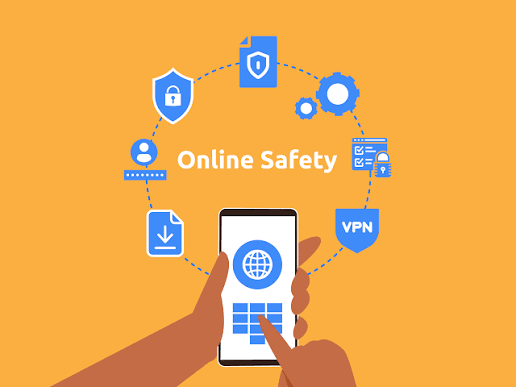
Cybersecurity does not stop with passwords. Phones, laptops, tablets, routers and smart devices can contain enormous amounts of personal information.
Keeping their operating systems and applications updated is one of the simplest ways to close vulnerabilities that manufacturers have already identified and patched.
Latest Tech News
Decode Africa's Digital Transformation
From Startups to Fintech Hubs - We Cover It All.
Review your application permissions periodically. Does a simple application really need constant access to your microphone, location, contacts, or files? Reducing unnecessary permissions also reduces the amount of personal information an application can access.
Be careful when using public Wi-Fi, particularly when accessing financial accounts. Avoid downloading software from unfamiliar websites, and lock your devices whenever you leave them unattended.
Your digital footprint also matters. The more personal information publicly available about you, the more material scammers can potentially use to impersonate or manipulate you.
Be Careful With What You Share Online
Social media can make it easy to forget that not everything about your life needs to be public. Avoid sharing sensitive personal information such as your home address, phone number, financial details, travel plans, identification documents, or information that could help someone guess your passwords or security questions.
Even seemingly harmless posts can reveal more than intended, especially when photos show house numbers, street signs, school names, workplace locations, car number plates, or other details that can identify where you live or spend time.

Before posting a picture, take a second look at what is visible in the background and consider who can access the post. Review your privacy settings regularly, be careful about accepting requests from people you do not know, and avoid posting your exact location in real time.
Keeping personal information personal is not about being secretive; it is about controlling how much information strangers, scammers, or other unwanted people can learn about you.
Cybersecurity Is a Habit, Not a One-Time Fix
There is no single application, password, or security setting that makes someone completely safe online. Digital threats evolve because the internet itself keeps changing.
What users can control is their behaviour.
Update your devices. Use unique passwords. Turn on MFA. Question unexpected messages. Check links before clicking. Protect your email. Review your privacy settings. Monitor financial transactions and unfamiliar account activity.
For users in Nigeria and across Africa, where mobile banking, digital payments, social media and online services continue to expand, these habits are becoming increasingly important.
The goal is not to become a cybersecurity expert. It is to become a more difficult target.
In an increasingly digital world, online safety is no longer something to think about only after an account has been hacked. It is part of using the internet responsibly in the first place.