5 Best PDF to Excel Tools for Faster Data Conversion in 2026
Discover the best PDF to Excel conversion tools for various needs, from quick browser-based conversions to detailed manual correction of scanned documents. This guide compares Adobe Acrobat, Able2Extract Professional, Smallpdf, iLovePDF, and PDFTables based on layout retention, OCR support, and pricing, helping users choose the ideal solution for their specific tasks.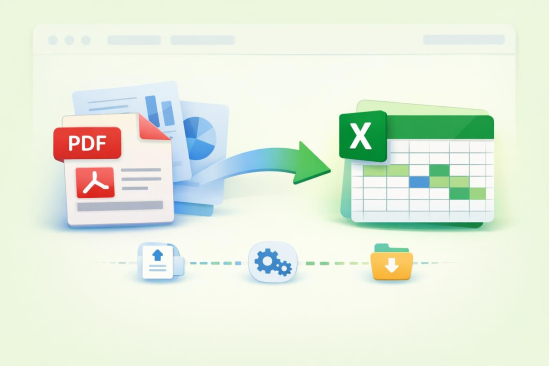
Converting PDF documents into editable Excel spreadsheets is a common necessity for accountants, financial analysts, and everyday office users. This comprehensive guide evaluates five leading PDF to Excel conversion tools: Adobe Acrobat, Able2Extract Professional, Smallpdf, iLovePDF, and PDFTables.
The comparison focuses on three critical criteria: their ability to preserve original layout and formatting, support for scanned PDFs through Optical Character Recognition (OCR), and pricing transparency. Each tool was rigorously tested using official documentation and direct interface interaction to ensure accuracy of capabilities and pricing.
For most everyday, one-off conversions, Adobe Acrobat stands out as the easiest and most accessible option in 2026. It operates entirely in a web browser, requiring no software installation, and can convert a PDF to an XLSX file in just two clicks.
Adobe Acrobat has facilitated over 11 million file conversions in the past 18 to 24 months, indicating its widespread use and reliability for quick tasks. However, for more complex scenarios involving scanned bank statements or invoices that demand manual correction of merged cells and multi-column layouts, Able2Extract Professional from Investintech emerges as the superior choice. Its unique Custom Excel conversion mode allows users to redraw table boundaries before conversion, ensuring precision.
Adobe Acrobat: Designed for office workers and small business owners, Adobe Acrobat provides a fast and efficient browser-based solution for converting PDFs to Excel. Users can simply drag and drop a PDF, and the tool automatically detects tables and columns, outputting an editable XLSX file. This process is seamless across five platforms (Windows, Mac, Linux, iOS, Android) via any web browser. Its key features include automatic table and column detection, XLSX output, and a high user satisfaction score of 4.6 out of 5 from over 110,000 votes. Pricing offers limited free online conversions, with unlimited access requiring an Acrobat plan, such as the Export PDF option starting at $1.99 per month.
Able2Extract Professional: Developed by Investintech, Able2Extract Professional caters specifically to accountants and financial analysts dealing with scanned, multi-column documents that require high precision. Its standout Custom Excel conversion mode enables users to manually preview and adjust row and column boundaries, effectively correcting merged cells and rotated text often misread by automatic converters. It also boasts AI-powered Custom Excel Templates for recurring layouts and includes built-in OCR for scanned PDFs, available during its 7-day free trial. Batch conversion into Excel, CSV, or OpenOffice ODS format is also supported. A 30-day single-user license costs $49.95, while a lifetime license is available for $199.95. The software runs as a desktop application on Windows, Mac, and Linux, with an online version also available.
Smallpdf: Ideal for individuals and small teams needing occasional PDF to Excel conversions with a clean, mobile-friendly interface. Smallpdf converts native, text-based PDF tables into editable XLSX files while maintaining row and column structure. It holds ISO/IEC 27001 certification and GDPR compliance, ensuring secure file handling with 256-bit TLS encryption and automatic deletion after one hour. A free tier allows for 2 conversion tasks per day with a 5MB maximum file size. The Team plan, costing $7 per user per month (billed annually), removes these limits and adds batch processing. Smallpdf is accessible via Web, Windows, Mac, iOS, and Android, and offers a downloadable desktop app for offline use.
iLovePDF: This tool is best suited for teams that require free batch conversion of multiple native PDF reports to Excel. Its free Basic plan uniquely offers batch conversion without a per-day task cap, a feature often reserved for paid tiers in other services. While it supports integration with Google Drive and Microsoft products, OCR for scanned PDFs is exclusive to its Premium plan, which costs $9 per month. With over 180 million monthly visits, iLovePDF is one of the most widely used free PDF toolkits online, available on Web, Windows, Mac, iOS, and Android.
PDFTables: Geared towards developers and analysts, PDFTables specializes in automating PDF-to-Excel extraction within existing data pipelines. It provides a scriptable web API that processes conversions at speeds up to 12 pages per second, supporting output formats like XLSX, CSV, XML, and HTML. Its algorithm intelligently detects rows and columns based on item spacing, rather than fixed templates. Official client libraries and example scripts are available on GitHub for various programming languages, including Python, Node.js, Go, PHP, C#, R, and VBA. Pricing is credit-based per page, rather than a flat subscription, starting around $30 per user per year. PDFTables operates as a web tool and API, without dedicated desktop or mobile applications.
CONCLUSION
Choosing the right tool depends on specific needs. For scanned PDFs requiring manual layout correction, Able2Extract Professional's Custom Excel mode is essential. For automated workflows, PDFTables with its documented API is the go-to. Casual, browser-based conversions of native PDFs are best handled by Adobe Acrobat or Able2Extract Online, offering broad device coverage without installation.
For free batch conversions of native PDFs, iLovePDF's Basic plan is an excellent option, surpassing Smallpdf's daily task limits. For native, digitally created PDFs, Adobe Acrobat's converter easily maps tables into Excel. Investintech’s Able2Extract Professional uniquely addresses merged cells and rotated text in scanned documents through its manual adjustment features and AI-powered templates.
While Able2Extract Professional offers OCR during its free trial, other free tools like Smallpdf and iLovePDF typically reserve OCR for their paid tiers. iLovePDF's free Basic plan allows for bulk conversion of multiple native PDF files, providing a cost-effective solution for teams. PDFTables offers the most economical API for automation, priced on a per-page credit system.
In conclusion, the primary distinction among these five tools lies in their approach to conversion: quick, fully automatic versus tools offering manual layout correction. Adobe Acrobat and Smallpdf excel with native, text-based PDFs without requiring installation.
Latest Tech News
Decode Africa's Digital Transformation
From Startups to Fintech Hubs - We Cover It All.
Able2Extract Professional is indispensable when scanned documents require precise manual adjustments. iLovePDF fills the niche for free batch conversions, and PDFTables serves developers automating extractions.
For most everyday conversions, Adobe Acrobat remains the top recommendation due to its ease of use, browser compatibility, and extensive user base, having converted over 11 million files effortlessly.