How AI Tools Can Restore Old Photos While Preserving Their Original Details
Discover how artificial intelligence is revolutionizing the restoration of old photographs, making it easy for anyone to repair damaged prints and preserve family memories. This comprehensive guide outlines the process, from digitizing photos to using AI tools, offering tips and best practices for achieving professional-grade results without specialized skills.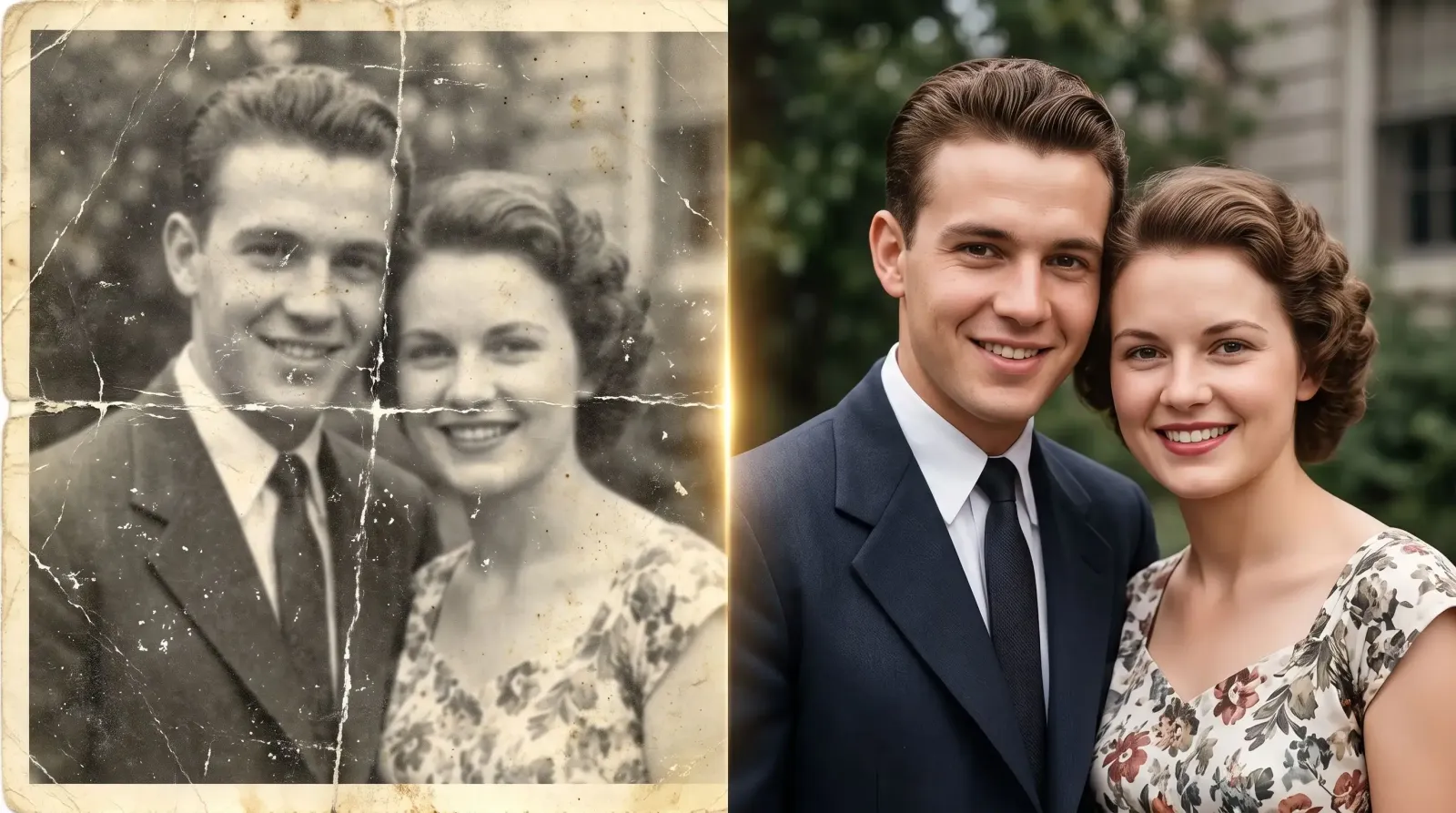
Old photographs preserve family histories and personal memories, but years of exposure can leave them faded, yellowed, scratched, cracked, or torn. Artificial intelligence (AI) photo restoration tools now make it easier to repair damaged images without requiring professional editing skills or hours of manual work.
By identifying common imperfections and reconstructing damaged areas, these tools can help people preserve treasured photographs and make them suitable for digital storage or reprinting.
AI restoration tools use algorithms trained on large collections of images to identify damage, reduce blur, improve faded colours, and reconstruct missing details. The process typically begins with digitising a physical photograph using a scanner at 300 DPI or higher, or photographing it with a smartphone in even lighting while avoiding glare. Users can then upload the image to an AI-powered editor, select options such as scratch removal, sharpening or colourisation, and preview the results before saving the restored version.
However, because AI may generate details that were not present in the original photograph, restored faces, clothing and backgrounds should be checked carefully for accuracy.
Steps to Restore Old Photographs With AI
Digitise the original photograph: Clean away loose dust gently before scanning, preferably at a high resolution. If using a smartphone, keep the camera parallel to the photograph and use steady, even lighting.
Choose an appropriate AI tool: Select software based on the damage you need to repair, whether scratches, fading, blur, or black-and-white colourisation. A preview feature can help you assess the changes before exporting.
Upload and analyse the image: Allow the software to detect visible imperfections and recommend suitable restoration adjustments.
Apply restoration filters: Remove scratches, improve sharpness, correct colours or use colourisation where appropriate. Review each adjustment to avoid introducing unnatural details.
Refine the results: Adjust brightness, contrast and saturation where necessary, paying particular attention to facial features and background details. Use face-enhancement settings sparingly to avoid changing the appearance of people in the original image.
Save and back up the restored file: Export a high-quality image, such as a PNG or JPEG, depending on whether you prioritise lossless storage or smaller file sizes. Keep the original scan untouched and store backup copies in separate locations.
The quality of the final result depends on the condition of the photograph, the resolution of the scan, and the restoration tool used. Working in stages, repairing physical damage before adjusting colour and sharpness, can help produce more natural results, while excessive processing may erase historical textures or create artificial-looking faces.
AI restoration cannot reliably recover every missing detail, particularly in severely damaged photographs, so reconstructed features should not automatically be treated as historically accurate. By preserving the original scan, reviewing AI-generated changes, and maintaining multiple backups, users can restore old photographs while protecting the visual records and personal stories they carry.